
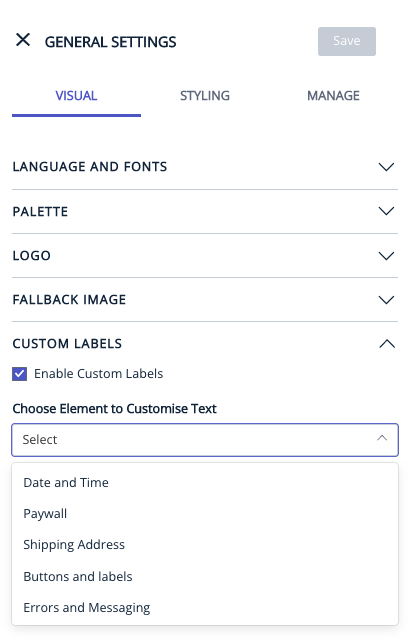
You will be able to customize the text appearing for Date and time, paywall, shipping address, buttons and labels, search and filter, errors and messaging, signin/signup, Profile page in the page builder.
Go to General settings> Visual > Enable Custom labels.
Page-Builder Release Note - 20th January 2025
Enhancement: Support a.m./p.m. localisation
This enhancement ensures that the time stamp in the header correctly shows custom AM/PM labels set in the page builder instance, especially for RTL languages. Custom labels will now be prioritized over default ones for the AM/PM.
Page-Builder Release Note - 24th July 2024
Prior to the update: Previously, the “Connect” label text on the author page was only available in English and did not support translation into different languages.
Following the update: The Page Builder team has released an enhancement that allows the
“Connect” label on the author page to be translated into any language. This can be done using the Page Builder under the “Custom Labels” dropdown in the “Buttons and Labels” section. This enhancement ensures that content is accessible to users in different languages.


Page-Builder Release Note - 19th June 2024
Default Value for AM/PM Not Updating When Custom Label is Removed
Prior to the update: We observed that if a custom label value for the AM/PM field in the Date & Time settings was removed, the default value for AM/PM did not display correctly on the front end.
Following the update: When the custom label for the AM/PM field is removed and the settings are published, the default value for AM/PM is correctly displayed on the front end (both Madrid and Ahead). The AM/PM default value now appears as expected when no custom label is set.
