
Tracking AMP page views:
1. We have updated our amp library to send page views to Google Analytics 4 properties
2. If GA4 integration is enabled without updating the amp library, then there will be a dip in the total number of page views
To implement the GA4 tracking for AMP pages/stories, please follow the steps below:
1. Access the Bold CMS
2. Click on settings
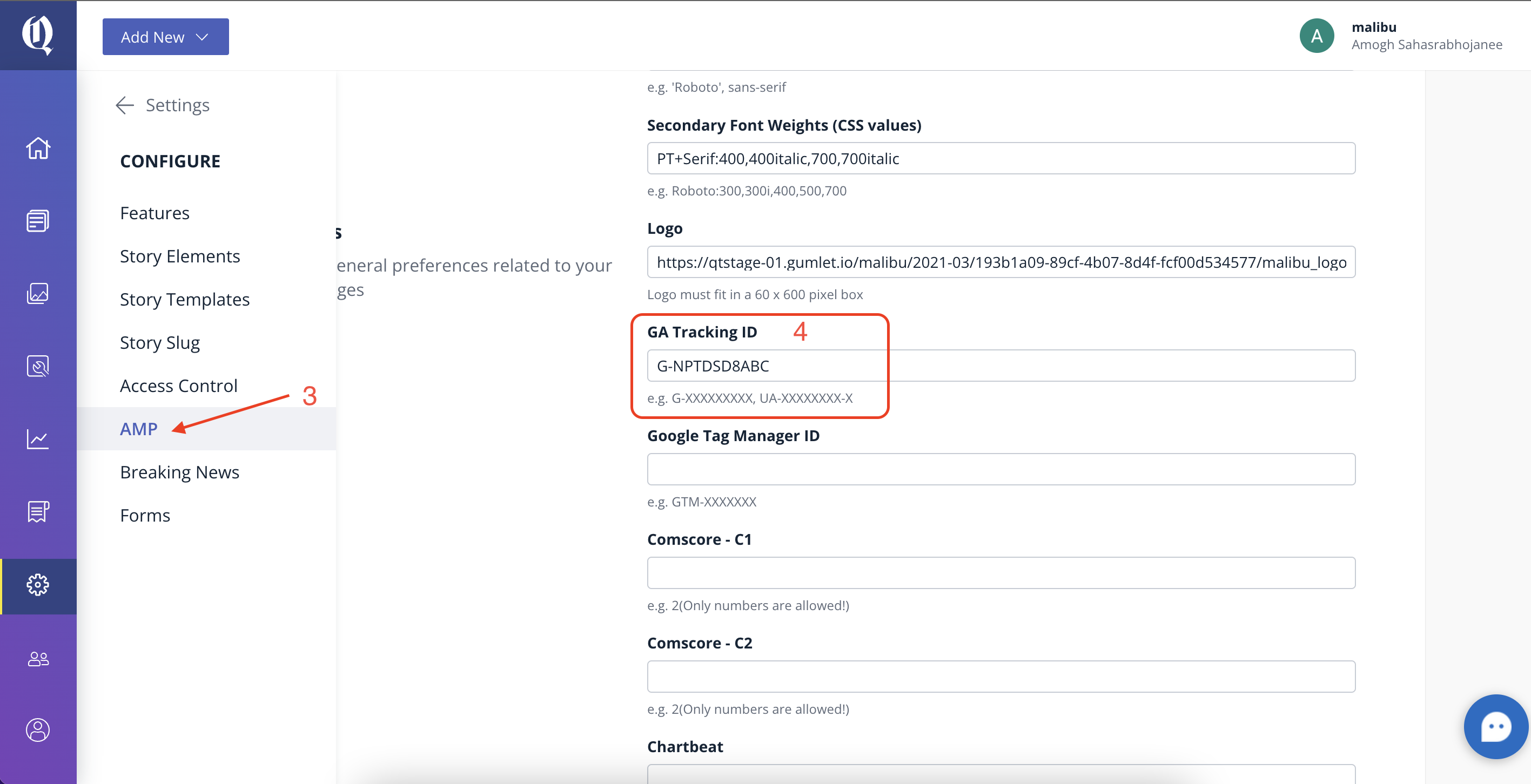
3. Navigate to the configuration settings
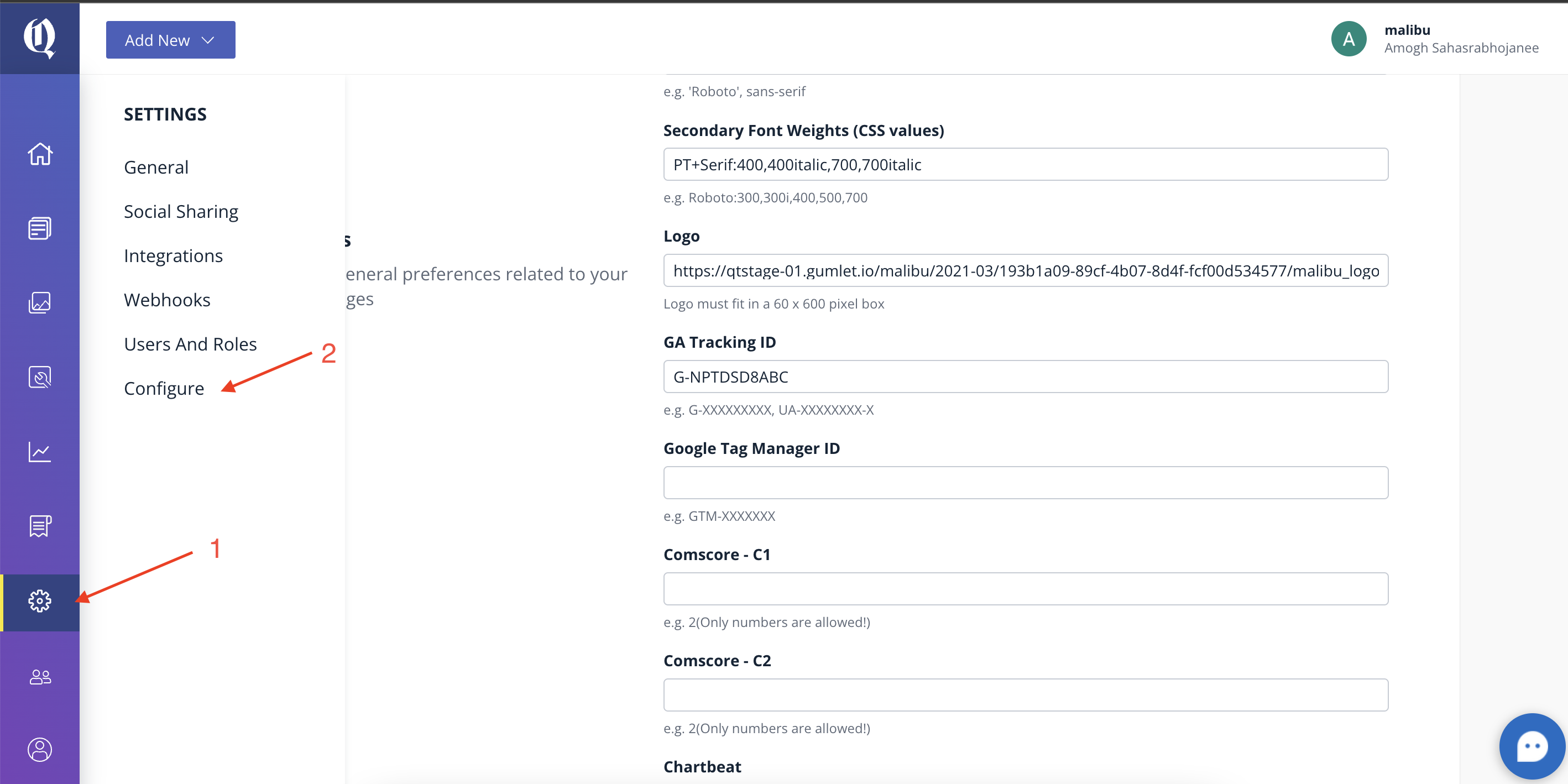
4. Click on AMP
5. Enter GA Tracking ID
Here are the steps to retrieve the Measurement ID from Google Analytics:
1. Log in to your Analytics account and open the property for GA4.
2. Go to the Admin section (located at the bottom left of the page).
3. Under the GA4 property name section, click on “Data Streams.”
4. Select the property, and you will be directed to the page where you can find the Measurement ID.
Single Google Analytics session in AMP and NonAMP Pages
Google Analytics will be able to retain an end-user's session when the user navigates between AMP and non-AMP pages on your website.
Contact us at support@quintype.com to turn the feature on for your account.