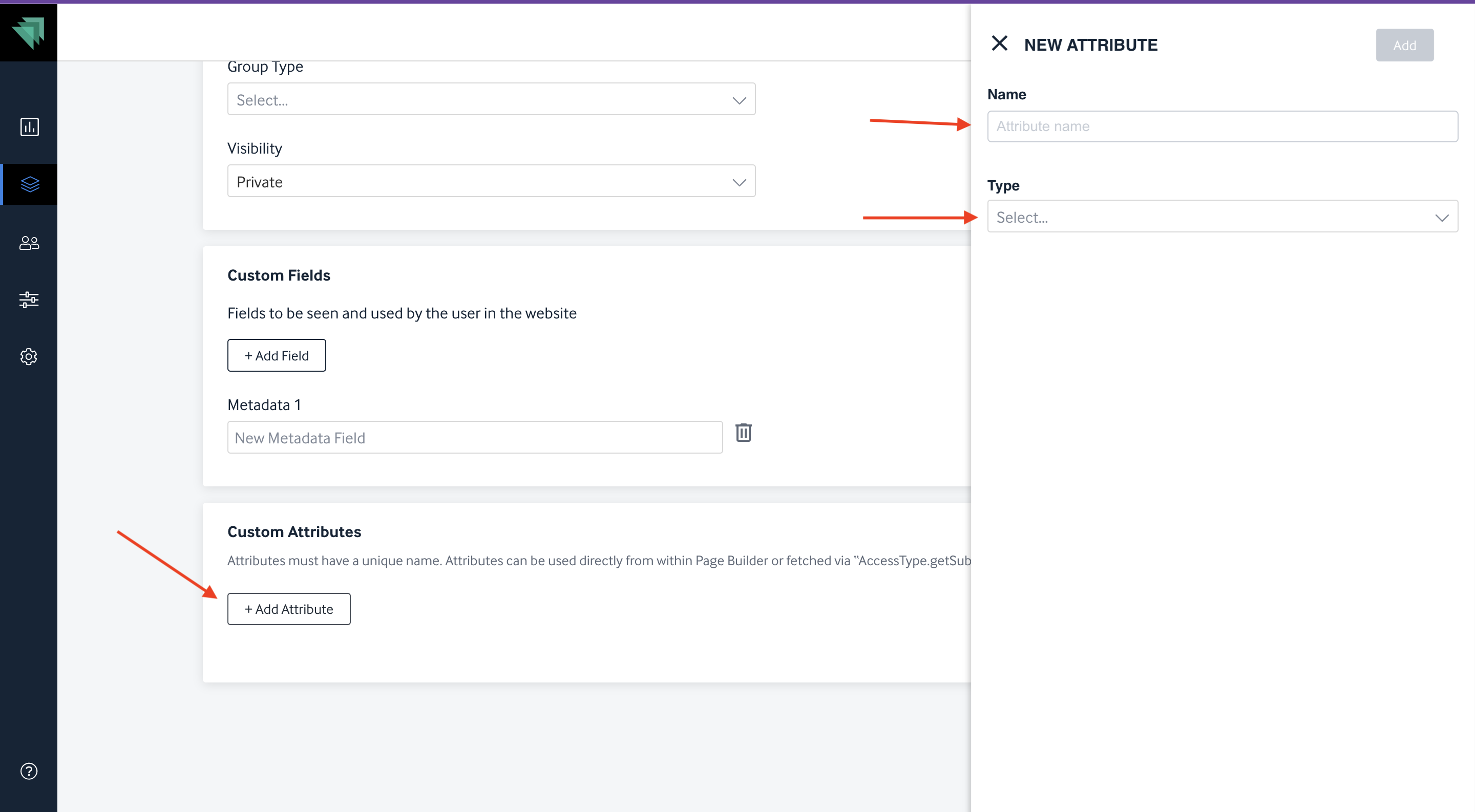
We have introduced a new feature called Custom Attributes in the Accesstype dashboard. This feature allows users to add different attributes, such as descriptions, with text types "Plain" and "Rich" on the Subscription Group details page.
How to Add Custom Attributes:
- Access the Dashboard: Navigate to the Subscription Group details page in the Accesstype dashboard.
- Add Attributes: You can define attributes such as discount (e.g., "off Rs. 600"), tag (e.g., "Best Value"), or rich text (e.g., strikethrough pricing).
- Display on Front End: These attributes will be rendered on the front end wherever required on the subscription page.
Important Notes:
- The attributes are case-sensitive.
- The value type can be either plain text or rich text (images are not supported).
- Any other key or attribute created on Accesstype will not be rendered on the front end.
This enhancement allows publishers to convey the value, perks, and other information related to subscription plans effectively.
This newly introduced card is available for both custom clients and page builder clients.