
A tag is a keyword or term assigned to a piece of information. Quintype allows your organization to maintain a common repository of tags using the Tag Manager. While creating your story, you can pick one or more tags from this repository and assign them to your story, or create your own tag. Stories related to a common subject can be logically grouped together by tagging them with the same tag.
Only your administrator or a user with tag creation permission can add tags to the tag manager.
To Add or Search for Tags, see here.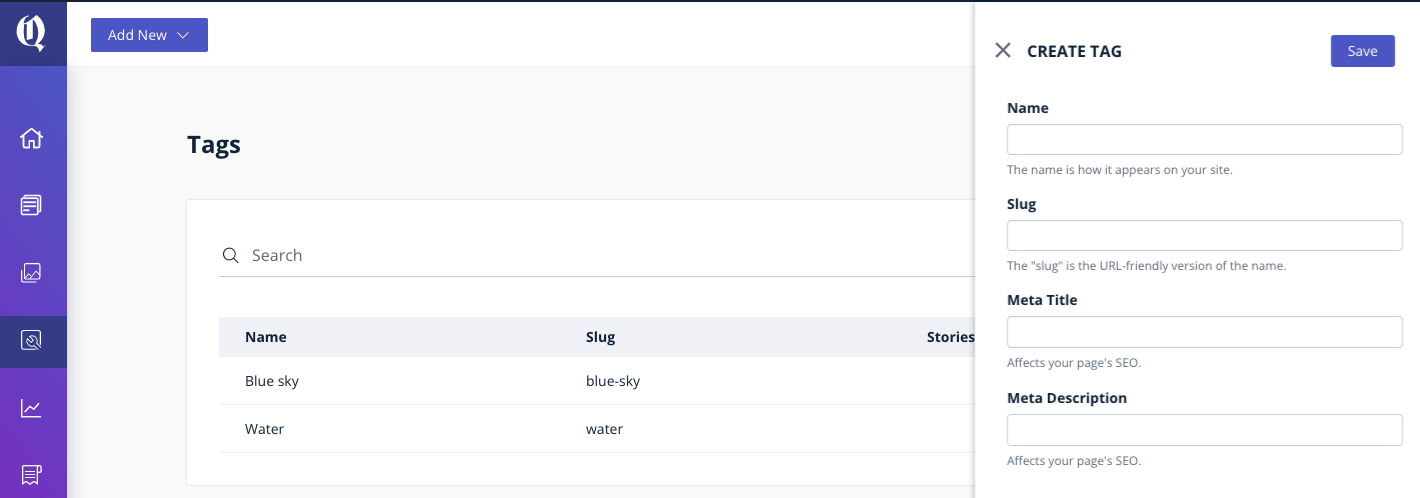
Use Existing Tag or Add New
When you’re editing a story, and are trying to add tags to the story, you can search for a tag by specifying the tag name in the Manage tab > Tags field. You should have the tag-create permission to be able to create a new tag.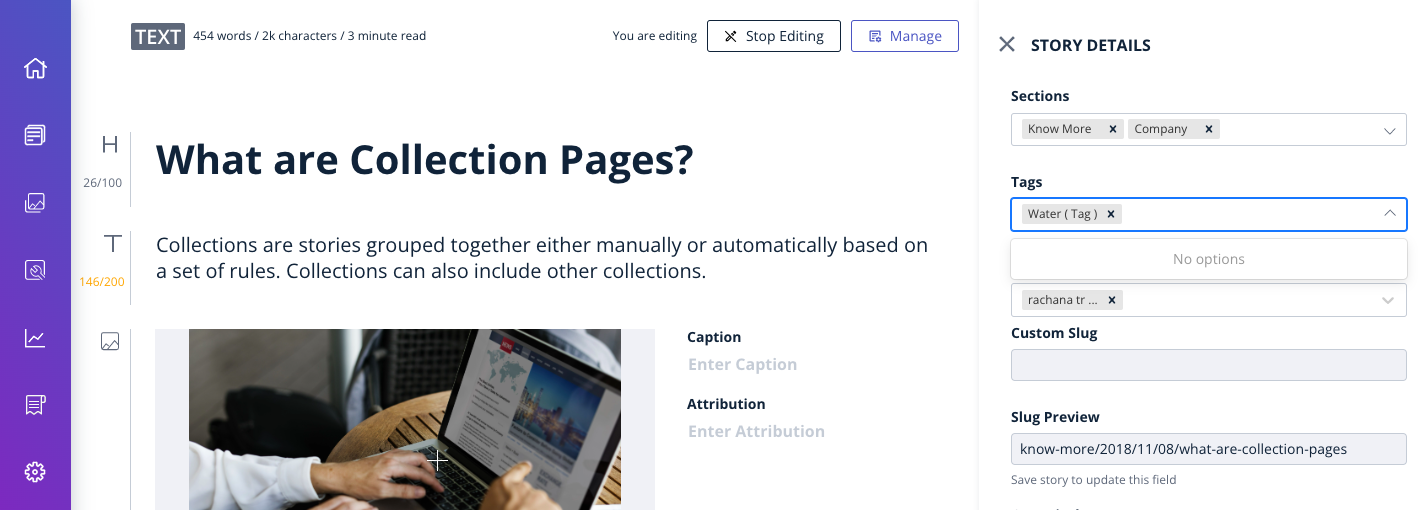
Use the tag you intend to create, as the keyword in the Tags field. If no tags match the keywords you specified, Quintype prompts you to add a tag consisting of your keywords. Click the prompt to add the tag.
You can also create a tag using the Tag Manager, and then apply the tag to your stories.
The Tag Manager displays the following parameters for each tag:
Tag Name: Displays the list of tag names.
Tag Metadata: Displays the description of a tag.
Count: Displays the number of stories using the tag.
Created On: Displays the date on which the tag was edited last.
Created By: Displays the name of the tag creator.
Actions: This enables you to update the description of a tag.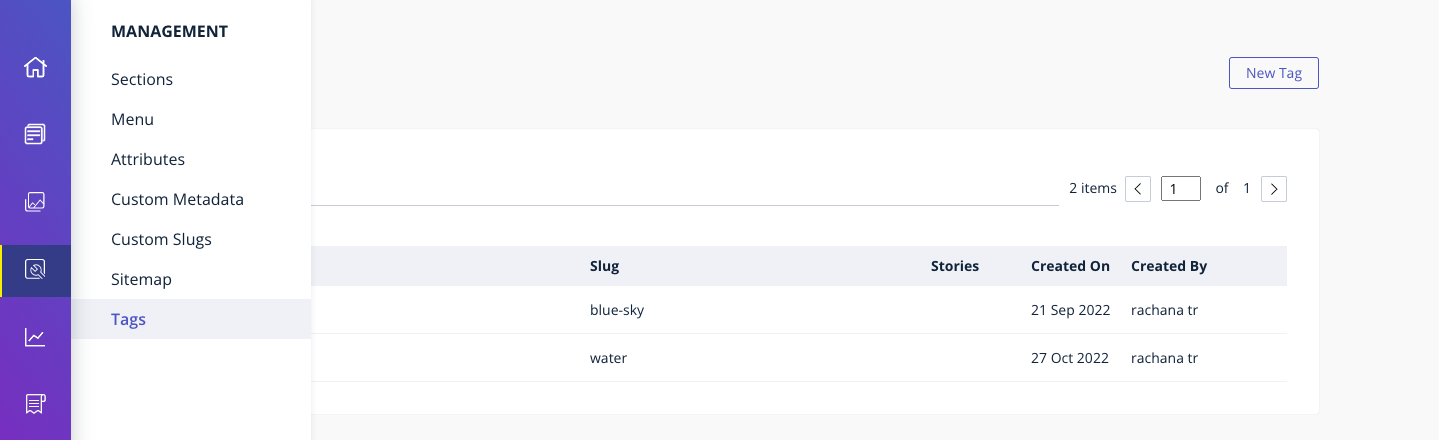
Tag Deletion and Redirection:
At present, tag deletion is not available directly from the CMS.
If you need to delete a tag from the CMS, please reach out to the Quintype Support team with the following details:
- Tag Name(s) & Tag ID(s)
- Any associated URLs (if applicable)
- Redirection requirement (where the redirection need to be set up)
Before Requesting Deletion
- Ensure that the tag is removed from all associated stories
- The tag usage count should be reduced to zero before raising the request
Important Notes
- Tag deletion is handled from the backend by the product team
- If a tag is deleted, its associated page may return a 404. To avoid this, it is recommended to set up redirections to prevent broken links and minimise SEO impact.
- Once deleted, the tag will no longer be available for use in stories.